
Why SMS-Based MFA Is No Longer Secure: Your Guide to Phishing-Resistant Authentication
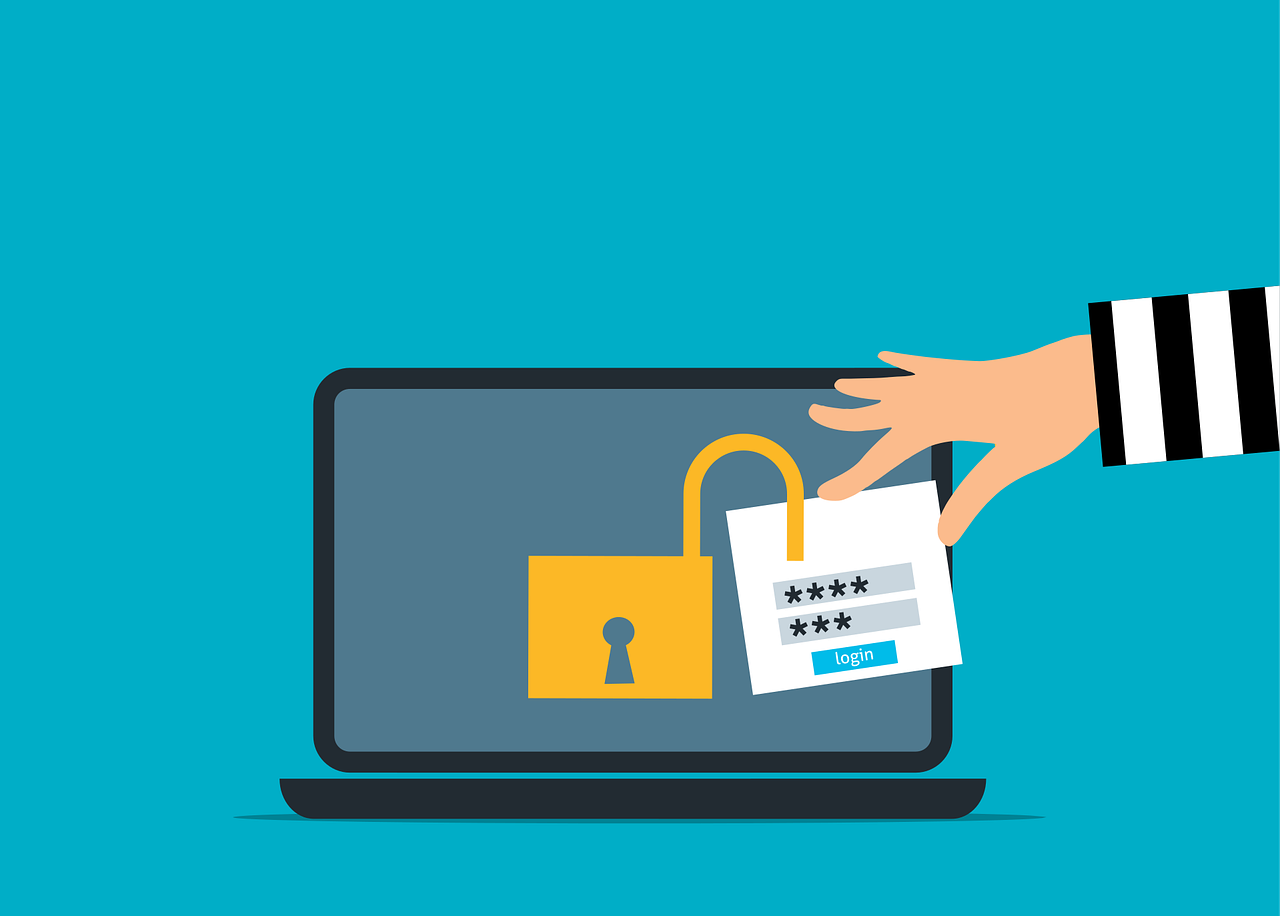
Your text message codes aren't protecting you anymore. For years, businesses have trusted SMS-based Multi-Factor Authentication (MFA) as their security safety net. But while you've been receiving those six-digit codes, cybercriminals have been quietly perfecting ways to bypass them entirely.
At Lewis IT, we're seeing a troubling trend: companies continue relying on outdated SMS authentication while sophisticated attackers exploit its fundamental weaknesses. The question isn't whether SMS-based MFA will fail you—it's when.
If your business still depends on text message codes for account security, this article will show you why that's a critical vulnerability and what Lewis IT recommends as your path to modern, phishing-resistant authentication.
The Harsh Reality: SMS Was Never Built for Security
Here's an uncomfortable truth that telecommunications companies don't advertise: SMS technology was designed in the 1980s for casual messaging, not secure authentication. Every time you receive a text message with a login code, you're trusting a system riddled with security flaws.
The infrastructure behind SMS relies on outdated telecommunication protocols, particularly Signaling System No. 7 (SS7), which was created when security wasn't a primary concern. Hackers have known about SS7 vulnerabilities for years and actively exploit them.
How Attackers Intercept Your SMS Codes
Lewis IT's cybersecurity team has documented multiple attack vectors that compromise SMS-based MFA:
SS7 Exploitation: Attackers can intercept text messages traveling through carrier networks without ever touching your phone. Using SS7 vulnerabilities, they eavesdrop on communications, redirect messages, or inject false messages—all within the telecommunications infrastructure itself.
Real-Time Phishing: When users enter credentials on fake login pages, attackers capture usernames, passwords, AND SMS codes simultaneously. Within seconds, they replay these credentials on legitimate sites, gaining full access before the real user even realizes something's wrong.
Man-in-the-Middle Attacks: Cybercriminals position themselves between users and legitimate services, intercepting both credentials and authentication codes in real-time.
The sobering reality? Lewis IT has helped multiple clients recover from breaches where SMS-based MFA was the weak link. In every case, attackers bypassed what businesses thought was robust security.
SIM Swapping: The Low-Tech Attack With Devastating Consequences
Perhaps the most dangerous threat to SMS security doesn't require advanced hacking skills at all. SIM swapping attacks rely on social engineering, making them accessible to even novice criminals.
How SIM Swapping Attacks Unfold
The attack follows a disturbingly simple playbook:
Step 1: A criminal researches their target, gathering personal information from social media, data breaches, or public records.
Step 2: Armed with this information, they contact your mobile carrier impersonating you, claiming they've "lost their phone" and need their number transferred to a new SIM card.
Step 3: If carrier support staff fall for the deception, they port your number to the attacker's blank SIM card.
Step 4: Your phone immediately goes offline, while the attacker's device comes online with YOUR phone number.
Step 5: The attacker receives all your calls and SMS messages, including MFA codes for banking, email, and business systems.
Step 6: Without knowing your actual passwords, they use "forgot password" features and the SMS codes they're now receiving to reset credentials and hijack accounts.
Lewis IT has worked with several Maryland businesses victimized by SIM swapping attacks. The financial and reputational damage is severe—often exceeding six figures when considering forensic investigation, regulatory fines, customer notification, and lost business.
The most troubling aspect? Your mobile carrier's support staff are the vulnerability. No amount of password complexity stops an attack that bypasses passwords entirely.
Phishing-Resistant MFA: The Security Standard Your Business Needs
At Lewis IT, we guide clients toward authentication methods that eliminate the human element from security decisions. Phishing-resistant MFA uses cryptographic protocols that can't be tricked, intercepted, or socially engineered.
Understanding FIDO2 and Modern Authentication Standards
The Fast Identity Online 2 (FIDO2) open standard represents the gold standard in authentication security. Unlike SMS codes that can be intercepted or reused, FIDO2 creates unique cryptographic keys tied to specific domains and devices.
Here's what makes FIDO2-based authentication revolutionary:
Domain Binding: Each credential is cryptographically linked to a specific website domain. Even if users click phishing links, their authenticator won't release credentials because the fake domain doesn't match the legitimate one.
Passwordless Operation: No passwords to remember, type, or have stolen. The authentication happens through cryptographic handshakes between your device and the service.
Phishing Immunity: Attackers can't capture credentials that never travel across the network. To compromise FIDO2 authentication, they'd need physical access to your device—exponentially more difficult than tricking users.
Lewis IT implements FIDO2-based solutions that protect businesses without creating user frustration. Modern security shouldn't feel like an obstacle course.
Lewis IT's Recommended Phishing-Resistant Authentication Solutions
After years of implementing authentication systems for businesses across Maryland and the Mid-Atlantic region, Lewis IT has identified three primary approaches that deliver enterprise-grade security.
Solution 1: Hardware Security Keys (Highest Security)
What They Are: Physical devices resembling USB drives that plug into computers or tap against mobile devices for authentication.
How They Work: When logging in, you insert the key or tap it against your device. The key performs a cryptographic handshake with the service—no codes to type, no passwords to remember.
Why Lewis IT Recommends Them:
- Impossible to phish: There are no codes for attackers to steal
- Cannot be intercepted: The authentication happens through direct device connection
- Physical security: Unless someone physically steals your key, they cannot access your accounts
- Long-lasting: Hardware keys last years with no batteries or maintenance
Best For: High-value accounts, executives, IT administrators, financial personnel, and anyone with access to sensitive systems.
Lewis IT Implementation: We deploy YubiKey and similar solutions with complete user training and backup key provisioning to prevent lockouts.
Solution 2: Mobile Authenticator Apps (Strong Security + Convenience)
If distributing physical security keys isn't feasible for your entire workforce, Lewis IT recommends modern authenticator apps as a significant upgrade from SMS.
Superior Options Include:
- Microsoft Authenticator
- Google Authenticator
- Duo Mobile
- Authy
Why They're Better Than SMS:
- Local code generation: Codes are created on the device itself, eliminating cellular network vulnerabilities
- SIM-swap immunity: Since codes aren't sent via SMS, SIM swapping attacks fail completely
- Number matching: Advanced apps require users to enter numbers displayed on their login screen, defeating "MFA fatigue" attacks where hackers flood users with approval requests
Lewis IT's Deployment Strategy: We configure authenticator apps with number matching enabled and provide comprehensive user training to ensure smooth adoption.
Solution 3: Passkeys (The Future Is Here)
Passkeys represent the evolution Lewis IT is most excited about—they combine hardware-level security with the convenience of devices users already carry.
What Makes Passkeys Revolutionary:
Biometric Protection: Secured by fingerprint, facial recognition, or device PIN—something you physically possess
Synchronized Convenience: Passkeys sync across your Apple, Google, or Microsoft ecosystem, working seamlessly on all your devices
Zero Password Management: No passwords to create, remember, reset, or have compromised in breaches
Phishing-Resistant by Design: Like hardware keys, passkeys are cryptographically bound to specific domains
IT Support Dream: Lewis IT's help desk sees dramatically fewer password reset requests from clients using passkeys
Currently Supported By: Apple (iCloud Keychain), Google (Password Manager), Microsoft (Windows Hello), and growing numbers of business applications.
Lewis IT is actively helping forward-thinking businesses transition to passkey authentication as services add support. Early adopters consistently report improved security and user satisfaction.
Implementing Phishing-Resistant MFA: The Lewis IT Methodology
Switching authentication methods isn't just a technical challenge—it's a change management initiative. Lewis IT has refined a deployment approach that maximizes security while minimizing user resistance.
Phase 1: Assessment and Strategy (Week 1-2)
Lewis IT begins every authentication modernization project by understanding your current environment:
- User population analysis: Who needs access to what?
- Risk assessment: Which accounts are highest-value targets?
- Application inventory: What authentication methods do your systems support?
- Compliance requirements: What do regulations mandate for your industry?
- Budget parameters: What investment makes sense for your security posture?
Phase 2: Pilot Deployment (Week 3-4)
Rather than forcing changes on your entire organization, Lewis IT starts with a carefully selected pilot group:
- IT team members who can troubleshoot issues
- Early adopters enthusiastic about new technology
- High-risk users (executives, finance team) who benefit most from enhanced security
This controlled rollout identifies potential issues before they affect your whole workforce.
Phase 3: User Education and Training (Ongoing)
The most secure system fails if users don't understand it. Lewis IT's training approach addresses the "why" before the "how":
We explain the real threats: Users who understand SIM swapping attacks and SMS interception become security advocates rather than resisters.
We provide hands-on training: Step-by-step walkthroughs with real scenarios, not abstract concepts.
We create quick reference guides: Simple, visual documentation users can reference when they need it.
We maintain accessible support: Lewis IT's help desk remains available throughout the transition.
Phase 4: Phased Enterprise Rollout (Week 5-12)
With pilot success validated, Lewis IT expands phishing-resistant MFA across your organization:
Priority 1: Privileged accounts (administrators, executives, financial personnel) move first—these cannot remain on SMS-based MFA.
Priority 2: Users accessing sensitive data or customer information.
Priority 3: General user population on a scheduled basis.
Lewis IT manages the entire rollout, monitors adoption rates, and adjusts strategies based on user feedback.
Phase 5: Legacy System Decommissioning
Once phishing-resistant MFA is fully deployed, Lewis IT helps you disable SMS-based authentication entirely. Leaving old methods available "just in case" creates security holes attackers will exploit.
Overcoming User Resistance: Change Management Strategies From Lewis IT
Every Lewis IT authentication modernization project encounters some resistance. Users are comfortable with familiar SMS codes, even when those codes provide false security.
The Strategies That Work
Transparency About Threats: When Lewis IT presents concrete examples of SIM swapping attacks and SMS interception, users understand the urgency. Security isn't theoretical—it's protecting their accounts from real criminals.
Emphasize Convenience: Modern authentication is often MORE convenient than SMS codes. Passkeys and biometric authentication are faster than typing six-digit codes.
Executive Leadership: When C-suite leaders adopt phishing-resistant MFA first and advocate for it, organizational resistance crumbles.
Gradual Transition: Lewis IT's phased approach prevents overwhelming users with too many changes simultaneously.
Accessible Support: Knowing help is available reduces anxiety about new systems.
Industry Compliance and Regulatory Considerations
Many organizations must meet specific authentication requirements. Lewis IT ensures your phishing-resistant MFA implementation satisfies:
HIPAA (Healthcare): Required safeguards for protected health information
PCI DSS (Payment Processing): Multi-factor authentication for system access
SOC 2 (Service Providers): Access control requirements for customer data
NIST Guidelines: Federal standards for authentication assurance
Cyber Insurance Requirements: Many insurers now require modern MFA for coverage
Lewis IT maintains up-to-date knowledge of evolving compliance standards and ensures your authentication strategy meets all applicable requirements.
The Real Cost of Continuing With SMS-Based MFA
Business leaders often hesitate at the upfront cost of new authentication systems. Lewis IT helps clients understand the true economics:
What SMS-Based MFA Actually Costs
Average Data Breach Cost (2024): $4.45 million
Average Ransomware Payment: $1.85 million
Regulatory Fines: Vary by industry and severity, often six to seven figures
Reputation Damage: Immeasurable impact on customer trust and future business
Incident Response: Forensic investigation, legal fees, customer notification
Business Interruption: Lost productivity during and after security incidents
What Phishing-Resistant MFA Costs
Hardware Security Keys: $20-60 per key (one-time purchase, years of use)
Authenticator App Deployment: Often free with existing Microsoft 365 or Google Workspace licenses
Passkey Implementation: Minimal additional cost for most organizations
Lewis IT Professional Services: Implementation expertise that ensures success
The return on investment is clear: spending thousands to prevent millions in potential losses is obvious fiscal responsibility.
Why Businesses Choose Lewis IT for Authentication Modernization
When your organization's security is at stake, partner selection matters. Here's why companies throughout Maryland trust Lewis IT for their authentication needs:
Proven Expertise: Dozens of successful phishing-resistant MFA deployments with zero critical failures
Vendor-Neutral Guidance: Lewis IT recommends solutions that fit YOUR needs, not vendor partnerships
Comprehensive Approach: From strategy through implementation to ongoing support
Industry Experience: Deep knowledge across healthcare, finance, professional services, and manufacturing
Local Presence: Maryland-based team available when you need us
Change Management Focus: We understand technology adoption is about people, not just systems
Ongoing Security Partnership: Authentication is one component of comprehensive cybersecurity
Take Action: Upgrade Your Authentication Security Today
Every day your organization continues using SMS-based MFA is another day attackers could exploit this vulnerability. The threats are real, documented, and growing more sophisticated.
Lewis IT is ready to guide your transition to phishing-resistant authentication that protects your business without frustrating your users.
Whether you choose hardware security keys, mobile authenticator apps, or cutting-edge passkeys, Lewis IT has the expertise to implement the right solution for your specific needs.
Your accounts deserve better than 1980s SMS technology. Let's build modern security together.
Start Your Authentication Modernization: Contact Lewis IT
Ready to move beyond vulnerable SMS codes? Lewis IT offers complimentary security assessments to evaluate your current authentication posture and recommend appropriate solutions.
Email: info@lewisit.io
Phone: 240-784-1221
Website: www.lewisit.io/contact-us
Don't wait for a SIM swapping attack to expose your vulnerabilities. Contact Lewis IT today and implement authentication security that actually works.
Lewis IT provides comprehensive cybersecurity solutions for businesses throughout Maryland and the Mid-Atlantic region. From phishing-resistant MFA and identity management to threat detection and security awareness training, we're your trusted partner for protection that doesn't compromise productivity.
